
Free AI tools are now good enough to handle real work: drafting emails, summarizing research, transcribing meetings, and designing slides. The catch is that “free” rarely means unlimited. Most of these tools give you a capped plan, and the caps change often.
This guide covers ten free AI tools for productivity, writing, research, and content creation. For each one, you’ll see what the free plan does well, where it runs out, and who it suits. Plan details were last checked in October 2026, so confirm them on each vendor’s pricing page before you commit.
Table of Contents
Quick Answer: Which Free AI Tool Should You Start With?
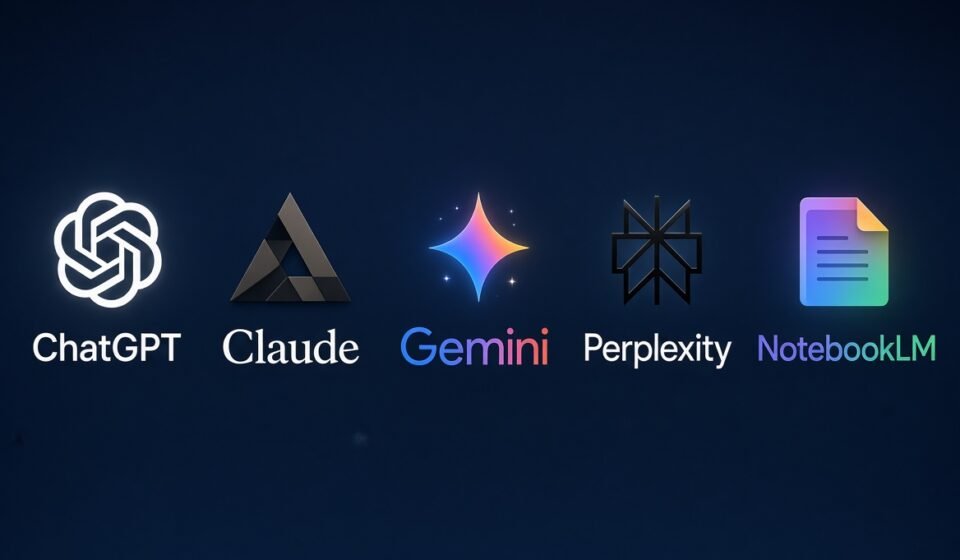
If you want one general-purpose assistant, start with ChatGPT, Claude, or Gemini. If you mostly research, try Perplexity or NotebookLM. For specific jobs, Grammarly handles writing cleanup, Otter.ai handles meetings, and Canva and Gamma handle visuals and slides.
| Tool | Best for | What the free plan offers |
|---|---|---|
| ChatGPT | General assistance | Chat, web search, image generation (limited) |
| Claude | Writing and analysis | Free chat access with usage limits |
| Gemini | Google-based workflows | Free with a Google account, with limits |
| Perplexity | Cited research | Free searches with daily limits |
| NotebookLM (Gemini Notebook) | Studying your own documents | Notebooks, 50 sources each |
| Microsoft Copilot | Windows and Microsoft users | Free assistant with usage limits |
| Grammarly | Editing and tone | Grammar checks plus a monthly AI allowance |
| Otter.ai | Meeting notes | 300 transcription minutes per month |
| Canva | Design and social content | Free editor, limited AI usage |
| Gamma | Slides and one-page sites | 400 one-time AI credits |
Free AI Tools for Writing and Everyday Productivity
1. ChatGPT
ChatGPT remains the most familiar entry point. Free accounts are limited to one model and a single reasoning mode, but they include web search and image generation. That covers brainstorming, drafting, rewriting, and quick explanations. Engadget
Know the trade-offs. Free users in the US have seen ads in ChatGPT since February 9, 2026. Also, free accounts are enrolled in model training by default, so check your data settings before pasting anything sensitive. suprmindEngadget
Best for: everyday drafting, brainstorming, and general questions.
2. Claude
Claude, from Anthropic, is a strong choice for longer writing, careful editing, and working through documents or code. The free plan lets you chat on the web and in the mobile apps, with usage limits that vary with demand.
Anthropic doesn’t publish exact free-tier message counts, so expect to be paused during heavy use and pick up again later.
Best for: drafting and revising longer text, summarizing documents, and explaining complex material.
3. Google Gemini
Gemini works with a regular Google account, which makes it easy to try if you already live in Gmail, Docs, and Drive. It handles drafting, summarizing, and brainstorming, and it sits alongside the other Google tools in this list.
Features and limits differ by account type and region, so check what your account shows.
Best for: people who already work inside Google’s ecosystem.
4. Microsoft Copilot
Copilot is Microsoft’s free assistant, available on the web and in Windows. It suits quick questions, summaries, and drafts, especially if you already use Microsoft products.
Fuller Copilot features inside Word, Excel, and PowerPoint typically require a paid Microsoft plan, so don’t assume the free assistant works inside your Office documents.
Best for: Windows users who want a free assistant built into their system.
5. Grammarly
Grammarly checks grammar, spelling, and tone wherever you type, through a browser extension and desktop app. The free plan includes basic grammar and spelling checks, tone detection, and a limited monthly allowance of AI prompts. costbench
The size of that AI allowance has been reported differently across sources, so look at the in-app counter instead of relying on a number from a review. Full-sentence rewrites and deeper style suggestions are generally reserved for paid plans.
Best for: polishing emails, reports, and school assignments.
Free AI Tools for Research
6. Perplexity
Perplexity works like a search engine that answers in sentences and shows its sources. The free plan gives you cited answers with limits on how much you can use it daily. Free accounts also include the Comet Assistant, since Perplexity made its browser free for everyone. cloudzerocloudzero
Always click through to the sources. A cited answer can still misread the page it links to.
Best for: quick fact-finding and getting oriented on an unfamiliar topic.
7. NotebookLM (now Gemini Notebook)
NotebookLM answers questions using only the documents you upload, which makes it more reliable for studying than a general chatbot. Google renamed it Gemini Notebook in July 2026, and the old notebooklm.google address still works. aiweekly
The free plan includes 100 notebooks, 50 sources per notebook, and 50 chat queries per day. That’s plenty for a thesis, a course, or a project folder. aiweekly
Best for: students and professionals summarizing PDFs, articles, and notes.
Free AI Tools for Meetings and Content Creation
8. Otter.ai
Otter.ai records and transcribes meetings, then produces searchable notes. The free plan covers 300 transcription minutes per month, with a 30-minute cap per conversation. sonix
That’s enough for a few short calls, but not for long weekly meetings. Tell participants you’re recording, and check your local consent rules first.
Best for: students, freelancers, and anyone who needs notes from short meetings or interviews.
9. Canva
Canva pairs a full design editor with AI features for writing, image editing, and layout suggestions. The free plan is permanent and includes a limited amount of AI usage, so you can test the tools before paying. skillscouter
Reports list different monthly caps, and Canva changes them often. Treat the in-app credit counter as the final word.
Best for: social media graphics, flyers, and simple marketing visuals.
10. Gamma
Gamma generates presentations, documents, and simple web pages from a text prompt. The free plan is more of a trial than a standing allowance: it gives you 400 AI credits one time only, adds a “Made with Gamma” mark to exports, and caps each generation at 10 cards. hackceleration
Use it to see whether the workflow suits you. If you build decks regularly, you’ll need to pay or switch tools.
Best for: a fast first draft of a pitch or class presentation.
How to Choose the Right Free AI Tool
Start with the job, not the brand. A few questions narrow things down quickly:
- Do you need sources you can verify? Pick Perplexity or NotebookLM over a general chatbot.
- Do you work from your own files? NotebookLM keeps answers tied to your uploads.
- Is it a one-off task or a regular habit? For a one-off, free credits are fine. For daily use, check the limits first.
- Is the data sensitive? Read the privacy settings before uploading client files or personal records.
Combining two or three tools often works better than relying on one. For instance, use Perplexity to find sources, NotebookLM to digest them, and Grammarly to polish the final draft.
Common Mistakes When Using Free AI Tools
Trusting output without checking it. AI tools can state wrong facts confidently. Verify names, numbers, and quotes before publishing or submitting anything.
Pasting in private information. Free plans may use your conversations to improve their models by default. Keep passwords, client data, and confidential documents out of them.
Ignoring the limits until they hit. Free tiers throttle you at inconvenient moments. Learn each tool’s cap before a deadline.
Assuming free stays free. Plans, limits, and ads change. Don’t build a business workflow on a free tier you can’t replace.
Frequently Asked Questions
Are free AI tools safe to use for work?
They can be, with care. Avoid entering confidential or personal data, review each tool’s privacy settings, and follow your employer’s AI policy.
What’s the best free AI tool for students?
NotebookLM suits studying from course materials, and Perplexity helps with finding sources. Grammarly is useful for proofreading. Check your school’s rules on AI-assisted work first.
Do free AI tools have usage limits?
Yes, nearly all of them. Limits show up as daily message caps, monthly credits, or file and length restrictions, and vendors can change them without much notice.
Can I use free AI tools for commercial projects?
Often yes, but terms vary by tool, especially for generated images and text. Read each service’s terms before using the output in client or commercial work.
Conclusion
The best free AI tools in 2026 can save real time on writing, research, meetings, and design, as long as you match each tool to a specific job and respect its limits. Start with one general assistant, add one research tool, and test the rest only when a task calls for them.
Check each tool’s current plan before relying on it, and verify anything important it tells you. For more guides like this, explore the related AI and productivity articles on OnexBayte.